ArchivesSpace Collection Control Toolbox
Simple tools to make the most of collection control functionality in ArchivesSpace
What’s in this Toolbox
Standalone SQL scripts to:
analyze collection control data before update
prepare update spreadsheets
report on data after update
Standalone Python scripts to analyze EAD (Coming Soon)
Data cleaning tools (In Progress)
Standalone Python scripts to make bulk updates to collection control data
Simple GUIs which package standalone scripts into easy-to-use interfaces
Spreadsheet templates to record collection control data for upload
FAQ - Logistics, APIs, SQL, etc. (In Progress)
Screencast tutorials (In Progress)
Suggestions for further study
General Tips:
Test all scripts thoroughly before running in production
…How to install a TEST instance of AS if you don’t already have one…
Use SQL queries to analyze and report on ArchivesSpace collection control data; don’t make changes to the database via SQL unless you know what you’re doing
Instead, use or modify the included Python scripts to update collection control data quickly and in bulk via the ArchivesSpace API
ArchivesSpace Database Tools
Analyze your data to identify remediation needs
Generate data for cleaning with OpenRefine or other tools
Use data returned from queries to make updates via the ArchivesSpace API
Run reports on holdings once collection control data is added to ArchivesSpace
Identify issues with current collection control data in ArchivesSpace and create reports once these issues have been addressed
Requirements:
ArchivesSpace 1.5+ (NOT TESTED ON AS 2.0+)
Access to ArchivesSpace database, login credentials (host name, database name, port, username, password)
Administrator access to your computer, likely
LibreOffice: https://www.libreoffice.org - free and open source; works particularly well for CSVs; Excel tends to mess with barcodes, so avoid if possible, especially when making changes to containers
Standalone scripts: SQL Client
Software Recommendations:
MySQL Workbench - https://dev.mysql.com/downloads/workbench/
HeidiSQL - https://www.heidisql.com/download.php
GUI: Python 3.4+,
pymysqlmoduleSoftware Recommendation:
Anaconda - https://www.continuum.io/downloads. Anaconda is a free, open source Python distribution which comes with a number of useful modules for data analysis and manipulation. The
requests,pandas, ‘lxml’ andpymysqlmodules are among hundreds of Python add-ons which can easily be installed via the Anaconda Navigator interface. See https://docs.continuum.io/anaconda/ for full documentation and installation instructions.
Reporting Scripts:
Python 3.4+,
pandasmodule (http://pandas.pydata.org)
Container Profiles
get_container_profiles.sql
Gets a list of container profiles with titles and URIs
Container profile URIs can be used to add or update top containers via the AS API
Locations
get_locations.sql
Gets a list of locations with titles and URIs
Location URIs can be used to add or update top containers via the AS API
Archival Objects, Top Containers, and Top Container Instances
get_archival_objects.sql
Retrieve a list of archival objects for a given collection, with parent-child relationships indicated
Archival Object URIs can be used when attaching top container instances (see get_top_containers.sql) to archival objects via the AS API
get_top_containers.sql
Gets a list of existing top containers, with location and container profile data
Top container URIs can be used in conjunction with Archival Object URIs (see get_archival_objects.sql) to create top container instances via the AS API
get_archival_object_instances.sql
Retrieve a list of archival object instances (a container list, essentially) for a given collection
Restrictions
get_arch_obj_restrictions.sql
Retrieves a list of access restrictions at the archival object level
get_resource_restrictions.sql
Retrieves a list of access restrictions at the resource level
get_restriction_dates.sql
Retrieves a list of begin and end dates for access restrictions
get_marestrictions.sql
Retrieves a list of machine-actionable access restrictions
pymysql Reporting Scripts
get_restriction_end_date.py
Get all restrictions that end on a user-defined date
get_access_notes.py
Using a list of EAD IDs as input, retrieve access notes about a group of resources
barcode_audit.py
Using a list of barcodes as input, retrieve information about attached archival objects
pandas Reporting Scripts
ArchivesSpace Database GUI
Packages all of the above scripts into an easy-to use GUI. Must have login credentials to run queries. Must also know your repository’s assigned number in the ArchivesSpace database, and, for some scripts, the EAD ID of the collection you want to analyze (note: EAD ID could be changed to identifier)
To run GUI from Anaconda, open Anaconda Navigator, click on Environments tab, select
…etc.
Data Cleaning Tools
Clean up messy data retrieved from queries - upload this data to ArchivesSpace via API…
Requirements
OpenRefine: http://openrefine.org/ - free and open source data cleaning tool…
LibreOffice: https://www.libreoffice.org - free and open source; works particularly well for CSVs; Excel tends to mess with barcodes, so avoid if possible, especially when making changes to containers
Python 3.4+: https://www.python.org/downloads/
Software Recommendation:
Anaconda - https://www.continuum.io/downloads. Anaconda is a free, open source Python distribution which comes with a number of useful modules for data analysis and manipulation. The
requests,pandas, ‘lxml’ andpymysqlmodules are among hundreds of Python add-ons which can easily be installed via the Anaconda Navigator interface. See https://docs.continuum.io/anaconda/ for full documentation and installation instructions.
Python
pandasmodule (included with Anaconda installation; see further reading section for instructions on how to install third-party modules in your main Python installation)
OpenRefine tips and tricks
Possible Uses:
Break out locations data (ranges, shelf numbers, etc.) that was combined into a single field during ASpace import
Normalize box and folder numbering
Cluster terms for containers to create a definitive container profile list from existing data
Common regular expression patterns for identifying and remediating archival data
Spreadsheet software tips and tricks
Combining spreadsheet data using VLookup
…Other Useful Spreadsheet Formulas…
pandas Remediation Scripts
ArchivesSpace API Tools
Quickly add collection control data to ArchivesSpace using spreadsheets and the ArchivesSpace API
Requirements
ArchivesSpace version 1.5+ (NOT TESTED ON AS 2.0+)
Access to ArchivesSpace API
Python 3.4+: https://www.python.org/downloads/
Software Recommendation:
Anaconda - https://www.continuum.io/downloads. Anaconda is a free, open source Python distribution which comes with a number of useful modules for data analysis and manipulation. The
requests,pandas, ‘lxml’ andpymysqlmodules are among hundreds of Python add-ons which can easily be installed via the Anaconda Navigator interface. See https://docs.continuum.io/anaconda/ for full documentation and installation instructions.
Python
requestsmodule (included with Anaconda installation; see further reading section for instructions on how to install third-party modules in your main Python installation)LibreOffice: https://www.libreoffice.org - free and open source; works particularly well for CSVs; Excel tends to mess with barcodes, so avoid if possible, especially when making changes to containers
Container Profiles
Add container profiles to ArchivesSpace
container_profile_template.csv
Use this spreadsheet to enter your container profile data
create_container_profiles.py
This script takes the data from your container_profile_template spreadsheet and posts to ArchivesSpace
Locations
Add locations data to ArchivesSpace
locations_template.csv
Use this spreadsheet to enter your location data
create_locations.py
This script takes the data from your completed locations_template spreadsheet and posts to ArchivesSpace
location_profiles_template.csv
Use this spreadsheet to enter your location profile data
create_location_profiles.py
This script takes the data from your completed location_profiles_template spreadsheet and posts to ArchivesSpace
Top Containers
Create Top Containers
top_container_template.csv
Use this spreadsheet to enter your top container data
Suggestion: if possible, work collection-by-collection to upload container data, and associate the containers for each collection with their archival objects before moving on to the next collection.
create_top_containers.py
This script takes the data from your completed top_container_template spreadsheet and posts to ArchivesSpace
Link Top Containers to One or More Archival Objects
tc_instance_template.csv
Use this spreadsheet to enter your top container instance data
create_container_instance.py
This script takes the data from your completed tc_instance_template spreadsheet and posts to ArchivesSpace
Update Top Containers
Restrictions
Add machine-actionable restrictions to ArchivesSpace
restrictions_template.csv
Use this spreadsheet to enter your restriction data, at either the resource or archival object levels
create_restrictions.py
This script takes the data from your completed restrictions_template spreadsheet and posts to ArchivesSpace
FAQ
How do I get access to my ArchivesSpace Database and/or API?
How do I log into the ArchivesSpace API?
How do I access the ArchivesSpace database?
I’m logged in. I have access. Now what?
Screencasts
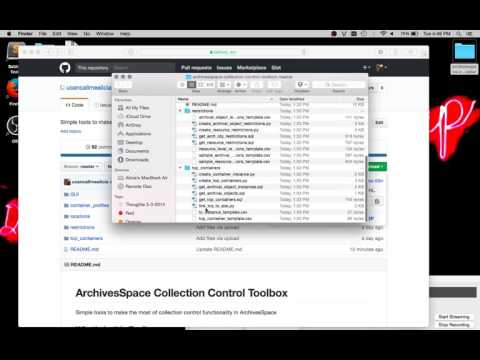
Download Collection Control Files from Github Repository
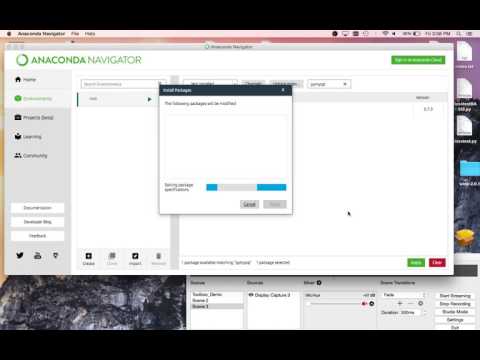
Set Up Python Environment in Anaconda
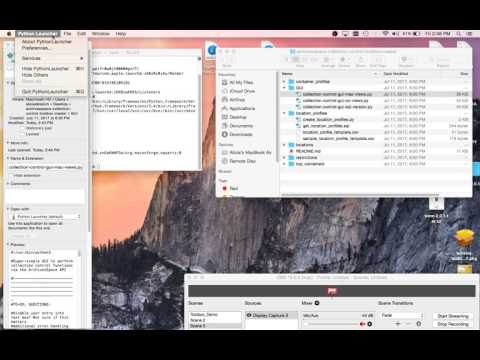
Run Collection Control Scripts on a Mac
Run Collection Control Scripts on a PC
This demo is for Windows 10
Using the GUIs
Using the Standalone Scripts
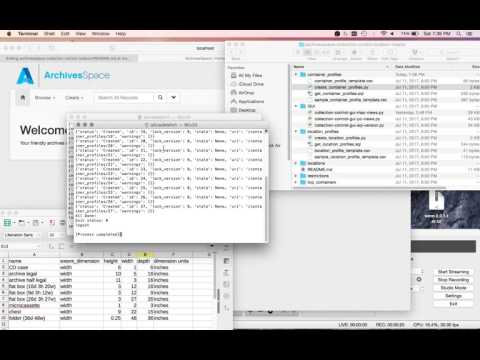
Python/SQL Resources
Installing third-party Python modules: https://python4astronomers.github.io/installation/packages.html https://docs.python.org/3/installing/
Python 3 Syntax: https://docs.python.org/3/tutorial/
SQL Syntax: https://dev.mysql.com/doc/refman/5.7/en/tutorial.html
Great archives-specific intro to Python - https://practicaltechnologyforarchives.org/issue7_wiedeman/
ArchivesSpace Resources
ArchivesSpace API reference: http://archivesspace.github.io/archivesspace/api/
Machine-Actionable restriction specification: http://bit.ly/2uhHVlO
Yale Libguide: http://guides.library.yale.edu/archivesspace/ASpaceContainerManagement
Manuals and Training Resources: https://sites.google.com/site/archivesspacetraining/archivesspace-manuals–training-resources
NYU ArchivesSpace Manual: http://bit.ly/2tmGNvL
ArchivesSpace 1.5 Webinar: http://archivesspace.org/recording-and-slides-for-v1-5-0-release-webinar/
ArchivesSpace Developer Screencasts: https://www.youtube.com/playlist?list=PLJFitFaE9AY_DDlhl3Kq_vFeX27F1yt6I